
Slowire
News Without the Scroll
Slowire turns the news, sites, and people you follow into one calm line that scrolls by on its own. You never scroll and there is nothing to catch up on: glance at it, then get on with your day.
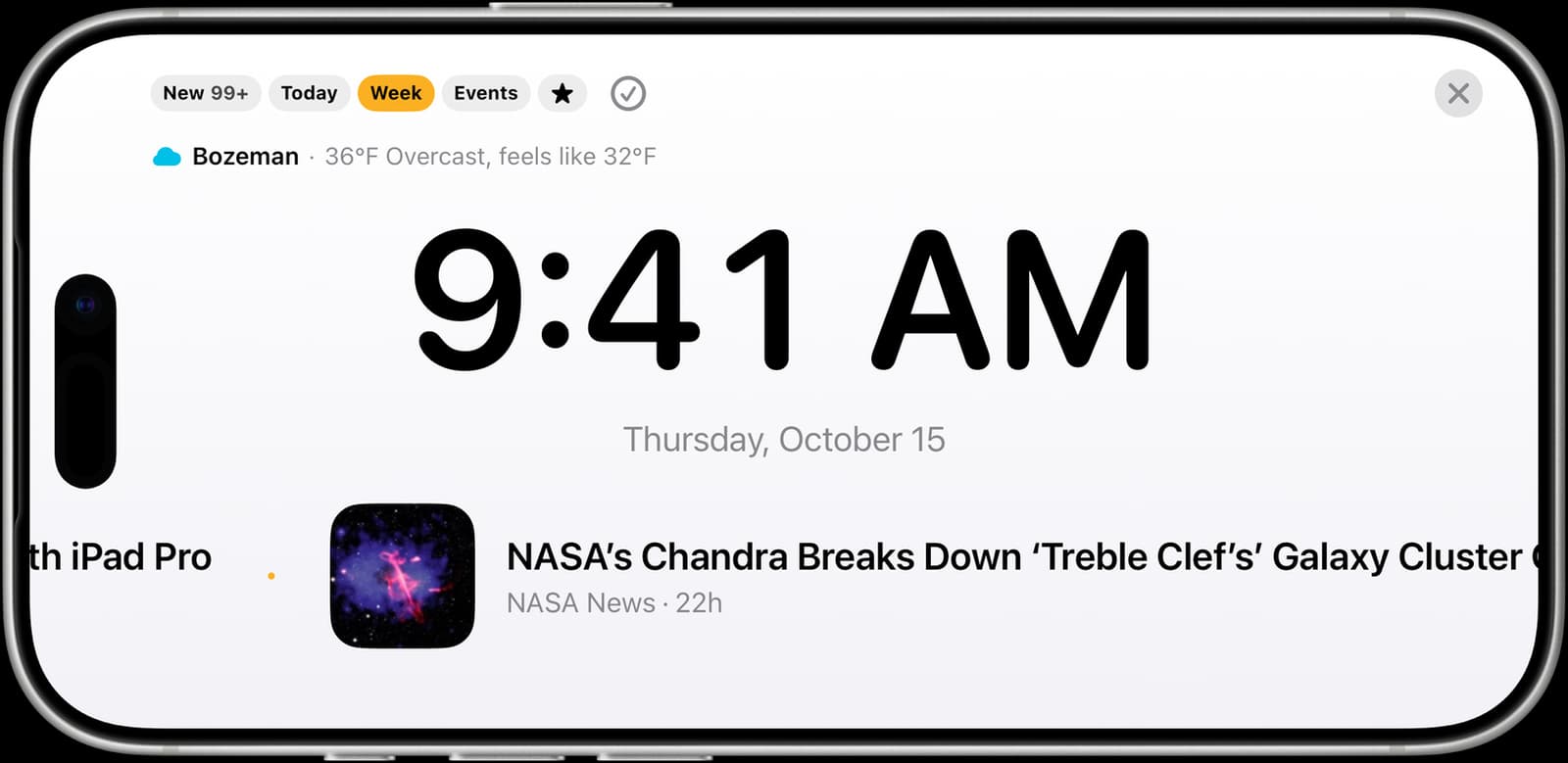
Follow almost anything: a news site or blog, a YouTube channel, a podcast, a Bluesky or Mastodon account, or any web page you want watched for changes. Type a name, paste a link, or start from 179 curated topic packs across 26 topics.
Add a place and the line carries its weather and severe weather alerts, plus concerts, games, and shows nearby if you turn on events.
It lives where you glance: Home Screen and Lock Screen widgets, StandBy while your iPhone charges, and a full-screen desk ticker with a big clock. No account, no ads, and no tracking.
Features
What you can follow
News and blogs
Any RSS or Atom feed, found from a plain link
YouTube and podcasts
New videos and episodes from the shows you pick
Bluesky and Mastodon
Public posts, with no account needed
Any web page
Watched for changes, with a headline for each
Topic packs
179 curated packs across 26 topics
Your places
Weather, alerts, and local events
Where it shows up
The live line
Drag to speed it up, tap a story to open
Full-screen desk ticker
A big clock and the line, for your desk
Widgets
Home Screen, Lock Screen, and StandBy
Five modes
New, Today, This Week, Events, and Highlights
Pinned weather
One place's conditions, always on top
FAQ
What is Slowire?+
A news ticker for people who are done scrolling. Everything you follow arrives as one line that scrolls by on its own: in the app, in widgets, in StandBy, and full screen on your desk. You glance at it, and it never asks you to scroll.
What can I follow?+
News sites and blogs (any RSS or Atom feed, found from a plain link), YouTube channels, podcasts, Bluesky and Mastodon accounts, and any web page you want watched for changes. Type a name, paste a link or @handle, or start from 179 curated topic packs. Add a place for its weather, severe weather alerts, and, if you turn them on, local events.
What do the modes do?+
New shows what arrived since you last cleared it, never more than a day's worth. Today and This Week show what was published in that window. Events shows upcoming local events, soonest first. Highlights shows the stories that stand out for their own source, compared with that source's usual likes or views, with changed web pages counted in.
Does it work in widgets and StandBy?+
Yes. The Home Screen widget is the line with its mode buttons, the small widget shows one story with the time and your pinned weather and is made for StandBy, and the Lock Screen widget shows the newest story at a glance.
Where do podcast episodes open?+
In the podcast app you choose in Settings. Apple Podcasts opens the exact episode, Overcast and Pocket Casts open the show, Spotify searches for the episode, and Web Browser opens the episode's own page. Slowire tells you a new episode is out; your podcast app plays it.
Do I need an account?+
No. There is no sign-up. What you follow syncs between your devices through your own iCloud account.
What leaves my device?+
Slowire fetches every feed, page, and picture straight from the site that publishes it. Name lookups go to DuckDuckGo, Wikidata, and the public Bluesky and Apple Podcasts directories. Opening a podcast episode looks its show up in Apple's podcast directory, and Spotify gets a search for the episode only if you choose Spotify. When you add a place, its name goes to Apple Maps and Open-Meteo to find it. Weather comes from Apple Weather outside the US and from Open-Meteo and the National Weather Service inside it, and local events come from Ticketmaster for the places where you turn them on. The short headlines it writes for page changes and long posts are written on your device by Apple Intelligence. It also checks epiqara.app for news about our own apps, which you can turn off in Settings. There are no ads, analytics, or tracking.
When is it coming?+
Slowire is in development. This page will have the App Store link the day it's out.
Get Slowire
In development. The App Store link goes here the day it's out.